
AI-Powered Desktop Automation
Codex – Enterprise AI Job Execution and Local Computer AutomationProject Overview
Many business processes require employees to perform repetitive tasks on computers, work with files, follow predefined instructions, and use AI tools. Managing these tasks manually can take time and requires employees to be trained to follow the same process consistently.
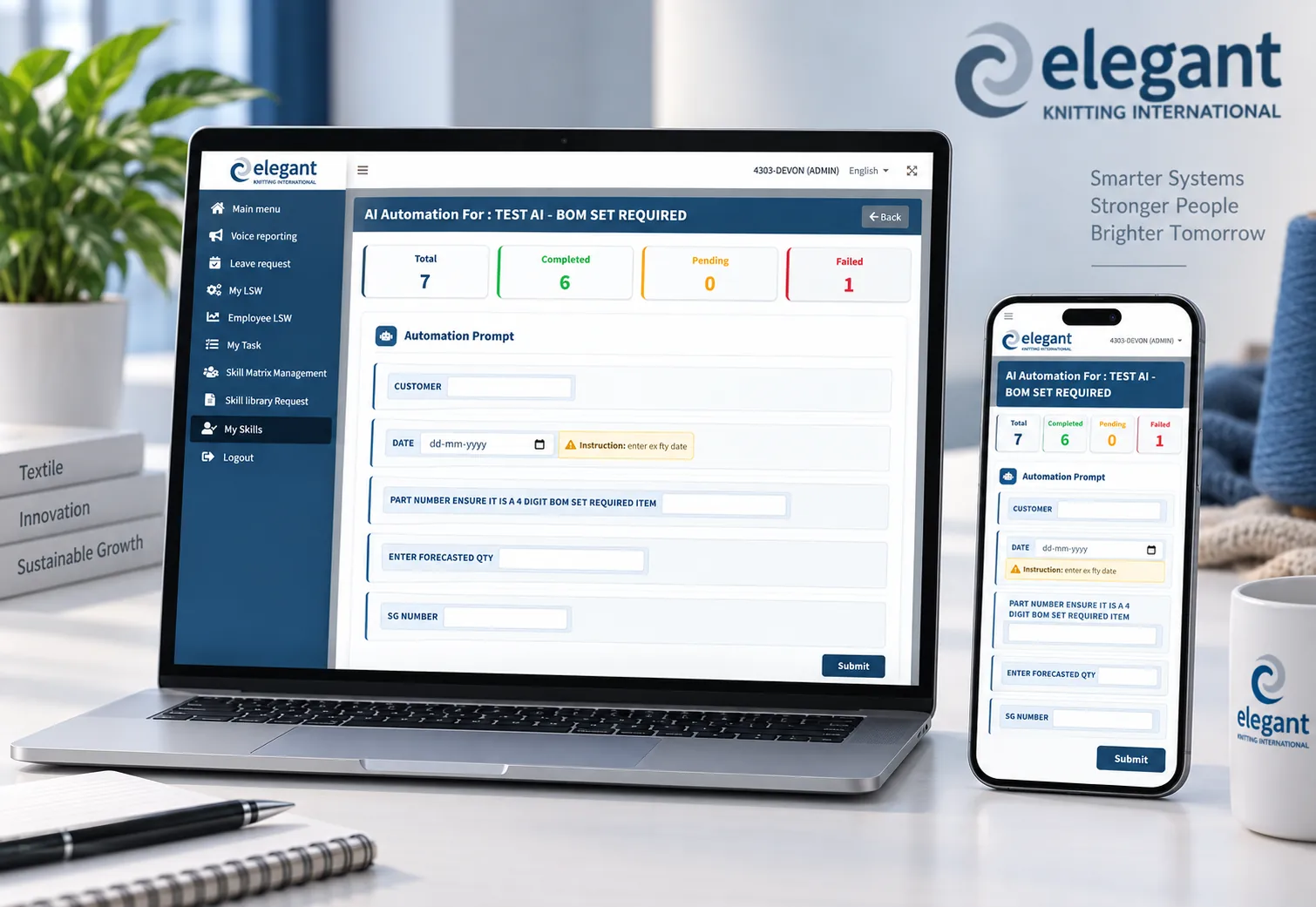
We developed Codex, an AI-powered desktop automation platform that allows businesses to create reusable AI workflows and execute them directly on local computers.
The platform connects a web-based administration system with a Python-based local AI agent. Administrators create tasks and AI prompts with variables. Users provide the required information, and the system sends the task to the local computer through a Cloudflare Tunnel.
The local Python agent receives the task and sends it to the Codex, which handles the AI-powered task execution on the local machine.
The system can pause tasks when human approval is required and continuously update the central platform with the current status of each job.
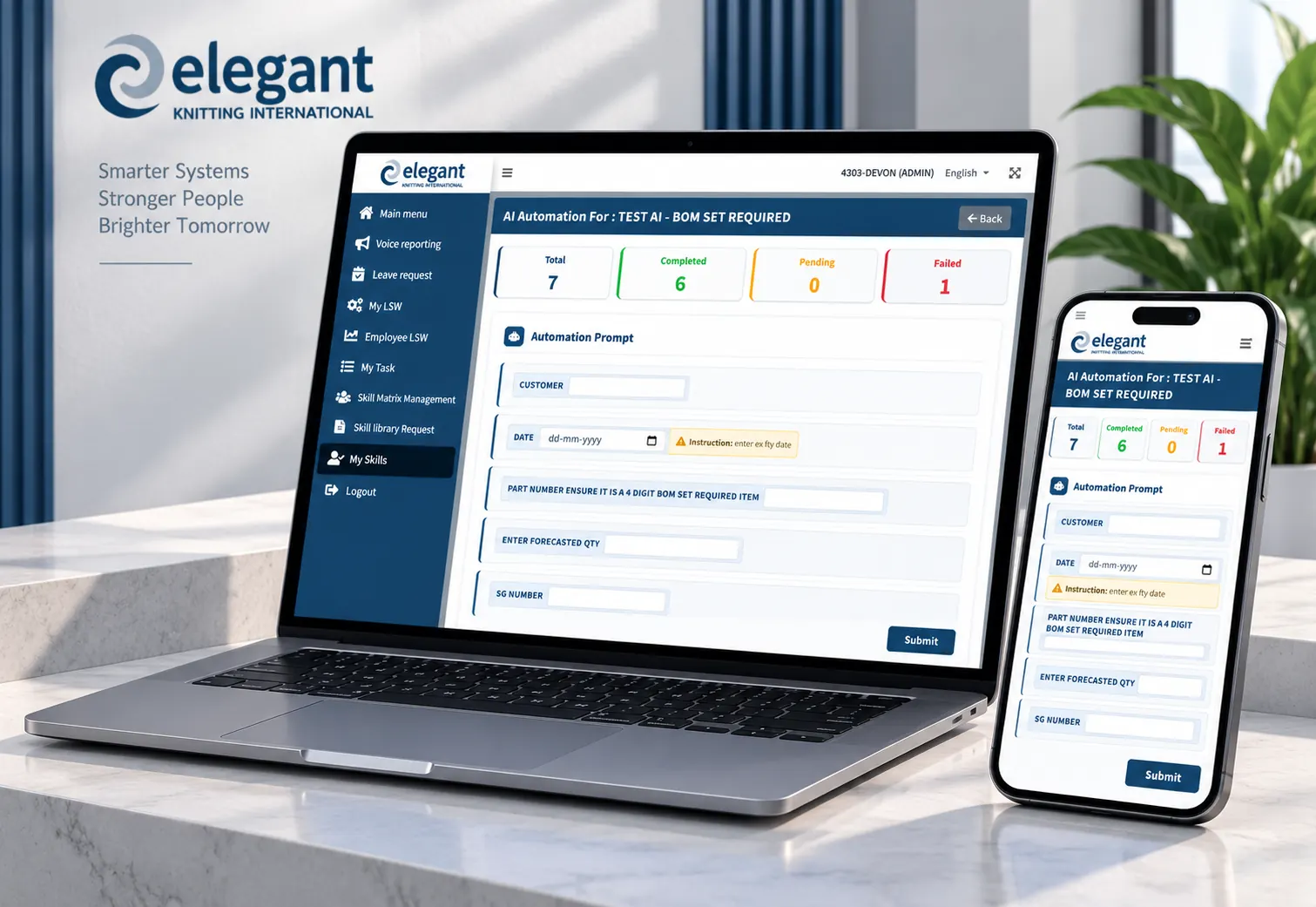
Basic Workflow
Project Highlights
Services Included
- AI Automation Software Development
- AI Agent Development
- Desktop Automation
- Skill Matrix Automation
- Workflow Automation
- Local AI Task Execution
- Human-in-the-Loop AI Automation
- Cloud-to-Local AI Integration
Industry
- Artificial Intelligence
- Business Process Automation
- Enterprise Automation
- Operations & Workflow Management
Platform
- Web-Based Administration Portal
- Python Local Automation Agent
- Local Desktop Environment
- AI-Powered Task Execution System
Core Technology
- AI Task Automation
- AI Prompt Processing
- Skill Matrix Workflows
- Human Approval Workflow
- Dynamic Variables
- Python Automation
- Codex CLI
- Real-Time Status Tracking
- Laravel
- REST APIs
- Cloudflare Tunnel
- Job Queue
How the AI Automation System Works
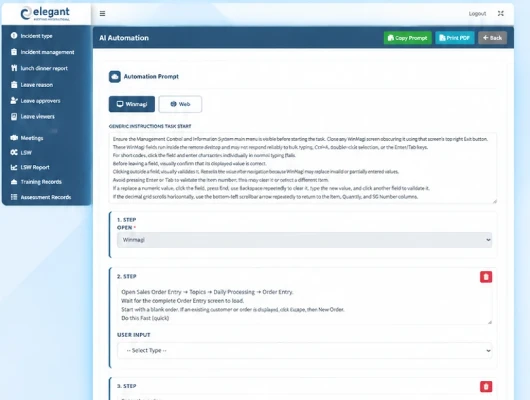
The administrator creates an automation workflow and defines the instructions the AI should follow. The workflow can contain multiple steps and dynamic variables.
Example variables include file to process, customer information, product information, required instructions, and other business data. The same workflow can then be reused for different tasks.
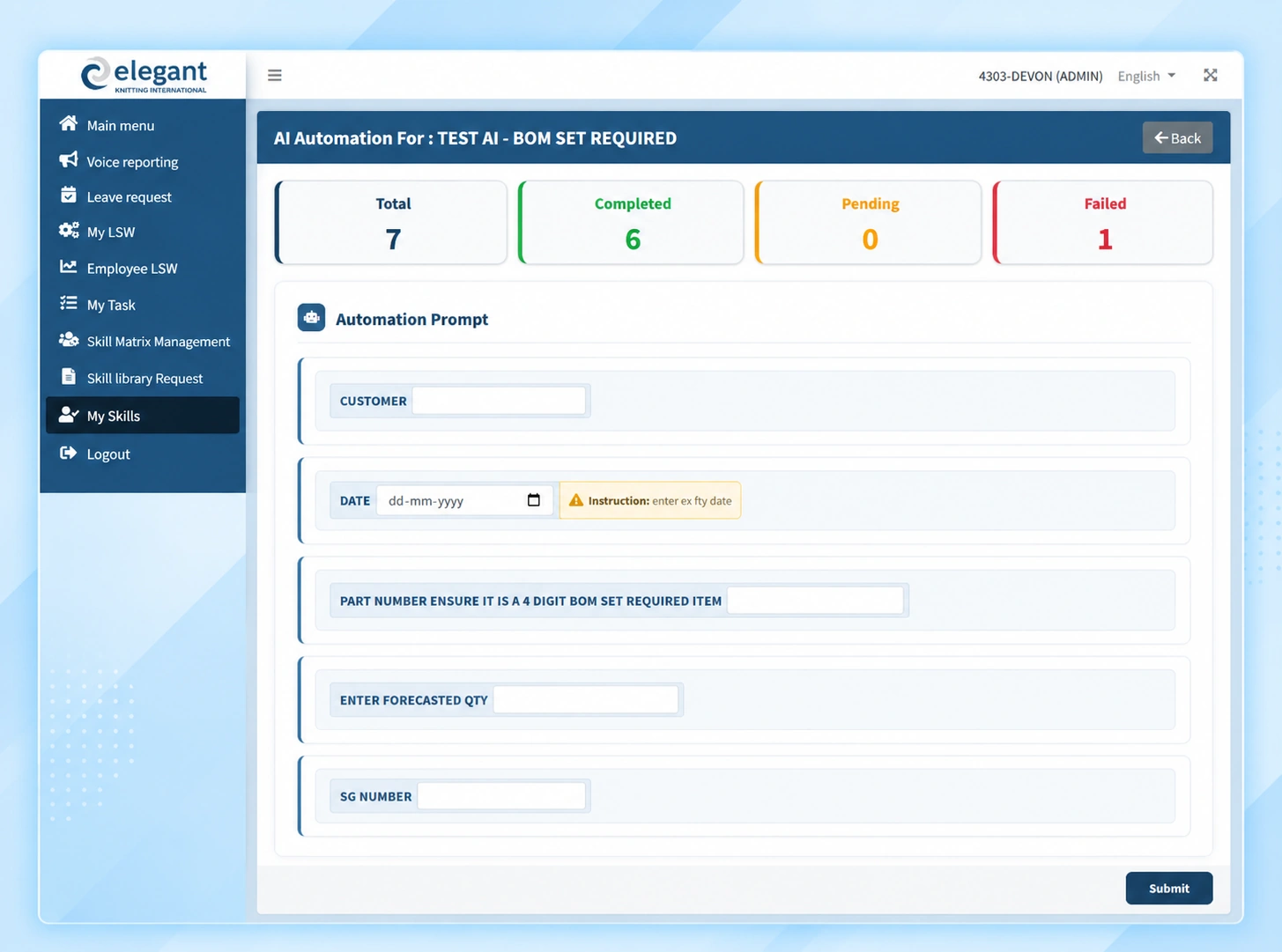
The user provides the information required by the workflow. The system fills the configured variables with the user's data and creates an automation job.
The job is placed into the central queue so it can be processed in a controlled way.
After the job is created, the central server sends the task to the local environment through a Cloudflare Tunnel.
The Cloudflare Tunnel connects the central web application with the Python service running on the local computer. This allows communication with the local machine without directly exposing the local automation service to the public internet.
The local Python agent receives the automation request and processes it in the background. It prepares the task and sends the required instructions and data to the Codex CLI running locally.
This allows the AI automation to work with the local computer, files, applications, and environment.
The Codex CLI handles the AI-powered task execution on the local machine. The workflow instructions, variables, and required files are provided to Codex, which performs the configured task.
Instead of an employee repeatedly opening applications, processing files, following instructions, and completing the same steps manually, the AI agent can perform the configured workflow.
Some tasks require human confirmation before the AI continues. When the workflow reaches an approval step, the local automation pauses and sends the approval request back to the central administration system.
The administrator can review the request and Approve, Approve Session, or Reject it. The local task remains paused until the required action is completed.
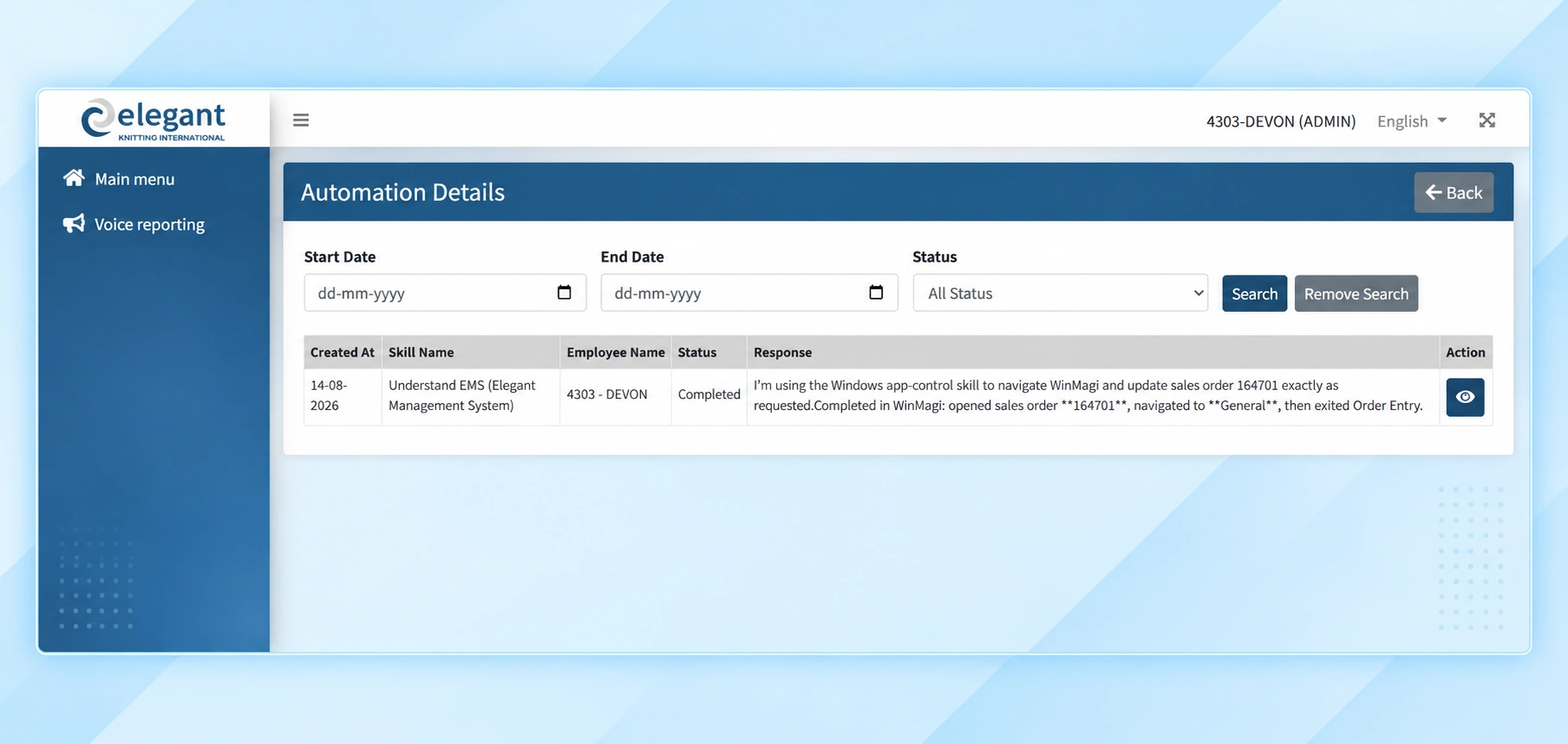
The platform continuously tracks each automation job.
- Queued
- Starting
- Executing
- Waiting for Approval
- Completed
- Failed
This gives administrators visibility into what the AI is doing without needing to access the local computer.
Once Codex completes the task, the local agent sends the result back to the central system. The administration portal updates the job as Completed and stores the relevant execution information.
Administration & Automation Management
The administration portal provides centralized control over the complete AI automation process.
AI automation tasks
Skill matrix workflows
AI prompts
Dynamic variables
Job queues
Local automation agents
Task approvals
Execution status
Execution logs
Completed and failed jobs
Automation results
The Business Challenge & Our Solution
The Challenge
The client had business processes that required employees to perform repetitive tasks on computers. Employees needed to understand the process, receive training, follow the correct steps, work with files and applications, and repeat the same workflow whenever a new task was received.
This created several challenges:
- Employees needed training before using the process.
- Repetitive tasks required significant manual effort.
- The same process had to be followed consistently.
- Managers had limited visibility into task progress.
- Some tasks required access to local computers and files.
- Cloud-only automation could not easily handle local computer operations.
- Certain AI actions required human approval.
- Long-running automation needed to run without blocking the web application.
The client needed a way to move from manual employee-driven processes to AI-assisted automated execution.
Our Solution
We developed Codex, an AI-powered automation platform that connects a central web administration portal with a local Python AI agent.
The administrator creates the workflow and defines the AI instructions and variables. The user provides the required information. The system sends the task through a Cloudflare Tunnel to the local Python agent.
The Python agent receives the task and sends it to the Codex CLI, which performs the AI-powered automation directly on the local computer.
If approval is required, the task automatically pauses and sends an approval request back to the central server. Once approved, the local AI automation continues. The central system receives real-time status updates throughout the process.
Automation Flow :Admin Creates Workflow → User Provides Required Data → Task Added to Queue → Cloudflare Tunnel → Python Local Agent → Codex CLI → AI Executes Task → Approval Required? → Task Pauses → Admin Approval → AI Continues → Task Completed → Result Sent Back to Server
The Result
The final system changed the workflow from a manual, employee-driven process to an AI-powered automated process.
Previously, employees needed to be trained to understand how to perform the task manually. After implementing Codex, the configured workflow can be handled directly by AI. The local agent can receive the task, provide it to Codex, perform the required computer-based actions, wait for approval when necessary, and report the final status back to the central system.
This reduces repetitive manual work while giving administrators centralized control and visibility over the automation process.
Business Benefits
Reduced Employee Training
The workflow can be configured once and executed by the AI system, reducing the need for employees to learn and repeatedly perform the complete process manually.
Reduced Manual Work
Repetitive computer-based tasks can be handled automatically, allowing employees to spend more time on higher-value work.
Consistent Process Execution
The same configured workflow and AI instructions can be reused for multiple tasks.
AI-Powered Local Computer Automation
AI can work with the local computer environment instead of being limited to cloud-only operations.
Centralized Control
Administrators can create tasks, monitor jobs, manage approvals, and review results from one web-based platform.
Human Control When Required
Selected tasks can pause and wait for administrator approval before continuing.
Real-Time Visibility
Administrators can see whether jobs are queued, executing, waiting for approval, completed, or failed.
Reusable Skill Matrix
Common processes can be converted into reusable automation workflows.
Scalable AI Automation
Additional AI-powered tasks can be added without the same level of manual employee involvement.
Why Codex?
Codex combines AI, automation, local computer control, workflow management, and human approval into one platform.
Instead of simply using AI to generate information, the system allows AI to receive a business task, understand the configured instructions, work with local data, execute actions on a computer, pause when human approval is required, and report the result back to the central platform.
This makes Codex suitable for businesses looking to implement AI-powered business process automation and intelligent desktop automation.
What Our Client Experienced Working With Us

We have collaborated with Joshi and his company, Cumulativeapps, for the past four years on several IT projects spanning website development, online payments, online bidding, freight management, HR, scheduling, warehousing and operations. Members of their team have visited our operations and provided additional IT support. They understand complex business processes effectively and can swiftly implement projects. On a personal note, I have found Joshi to have a 'can do' attitude towards complex processes and to be reliable. He conducts his business with integrity.
Luke Holmick
Have a Similar Project in Mind?
Whether you're launching a new company website, redesigning an See the services behind this project or, if you have something similar in mind, feel free to share your idea with us. Let’s explore the possibilities together.