
Imagine this situation.
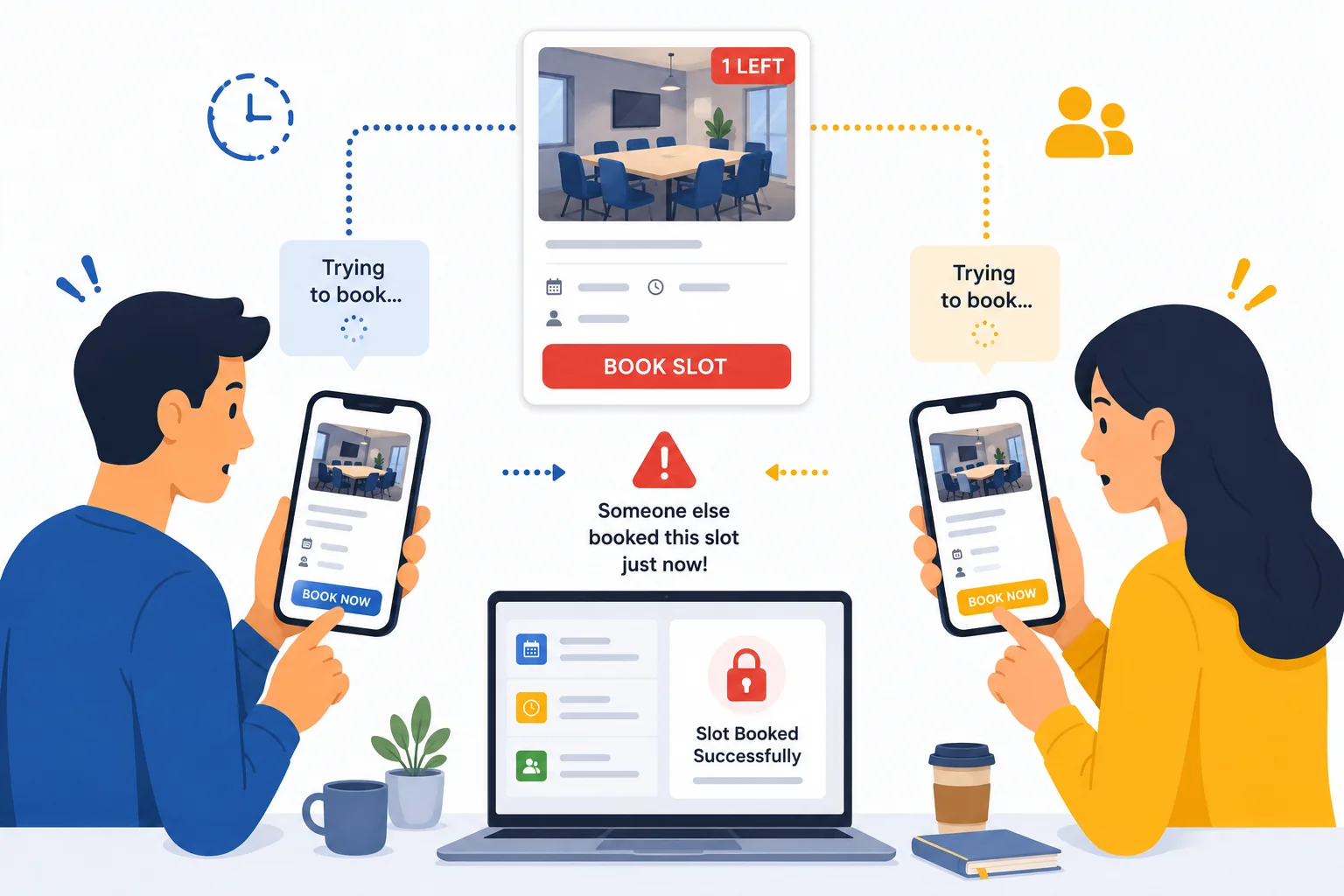
Your business has only a few slots left—perhaps the last hotel rooms, event tickets, appointment slots, rental items, or tour seats.
At almost exactly the same moment, two customers visit your booking website.
Both see the available slot.
Both click Book Now.
Both proceed to payment.
Now what happens?
Who actually gets the booking?
Can both customers receive a confirmation?
What happens if payment has already been made?
Without the right booking logic, situations like these can lead to double bookings, payment disputes, refund requests, frustrated customers, and unnecessary manual work.
A professionally built booking system is designed to prevent these problems before they happen.
Let's look at how.
Review Bookings When Availability Becomes Limited
Not every booking needs manual approval.
For many businesses, bookings are confirmed automatically until only a few slots remain—for example, the last 8–10 available rooms, seats, appointments, or tickets.
At that point, instead of confirming every booking instantly, the system can place new reservations into a Pending status for admin review.
This gives the business time to verify availability before making the final confirmation.
If payment has already been made, the business can:
- Hold the payment until the booking is approved.
- Authorize the payment without capturing the funds immediately.
- Automatically refund the customer if the booking cannot be confirmed.
This approach is especially useful when availability is almost full, helping prevent double bookings while giving the admin greater control over the final few reservations.
Temporarily Lock the Selected Slot
When a customer selects one of the last available rooms, seats, or appointment slots, the booking system doesn't leave it available for everyone else.
Instead, it immediately places a temporary lock on that slot while the customer completes the booking.
For example:
12:00 PM
Alex selects the last available seat F-12.
The booking system immediately reserves Seat F-12 for Alex.
12:00:01 PM
One second later, Bob visits the booking page.
Bob no longer sees Seat F-12 because it is temporarily reserved, so he is shown other available options instead.
If Alex successfully completes payment, the booking becomes permanent.
If Alex leaves the website or doesn't complete payment within the allowed time, the temporary reservation expires automatically and the seat becomes available again.
This prevents multiple customers from trying to reserve the same slot simultaneously.
Automatically Release the Slot if Payment Isn't Completed
A temporary reservation shouldn't remain locked forever.
If the customer doesn't complete payment within a predefined period, for example, 10 minutes, the booking system automatically removes the reservation.
The room, seat, appointment, or ticket immediately becomes available for other customers.
This ensures availability isn't blocked by abandoned bookings while giving genuine customers enough time to complete payment.
When Two Customers Click Book at Almost the Same Time
Many people think that if two customers click Book Now at exactly the same moment, both bookings might be confirmed.
In reality, the booking server processes requests one at a time.
Even if the difference is only a few milliseconds, the system always knows which booking request arrived first.
For example:
- Customer A submits the booking request.
- A fraction of a second later, Customer B submits the same request.
- The server processes Customer A first.
- Availability is updated immediately.
- Customer B's request then checks availability and finds that the slot has already been reserved.
Instead of confirming both bookings, the second customer receives a message such as:
Only one reservation is confirmed, completely preventing double bookings.
Keep Availability Updated in Real Time
Availability should update immediately after every successful booking.
If updates are delayed, even by a few seconds, other customers may continue seeing outdated availability and attempt to reserve something that's already unavailable.
Real-time availability updates help businesses avoid confusion while giving customers confidence that the information they see is accurate.
This is especially important for:
- Hotels
- Tour operators
- Medical clinics
- Salons & spas
- Event organizers
- Equipment rental businesses
- Sports facilities
Plan Your Booking Rules Before Building the System
Preventing double bookings isn't only about technology.
It's also about deciding how your booking process should work.
Before building a booking system, businesses should answer questions like:
- How long should a slot remain locked?
- Should the last few bookings require admin approval?
- What happens if payment succeeds but the slot is no longer available?
- Should payment be captured immediately or only after confirmation?
- When should refunds be processed automatically?
- How should availability stay synchronized across all users?
The answers depend on your business model, inventory, and booking workflow.
Every Business Has Different Booking Requirements
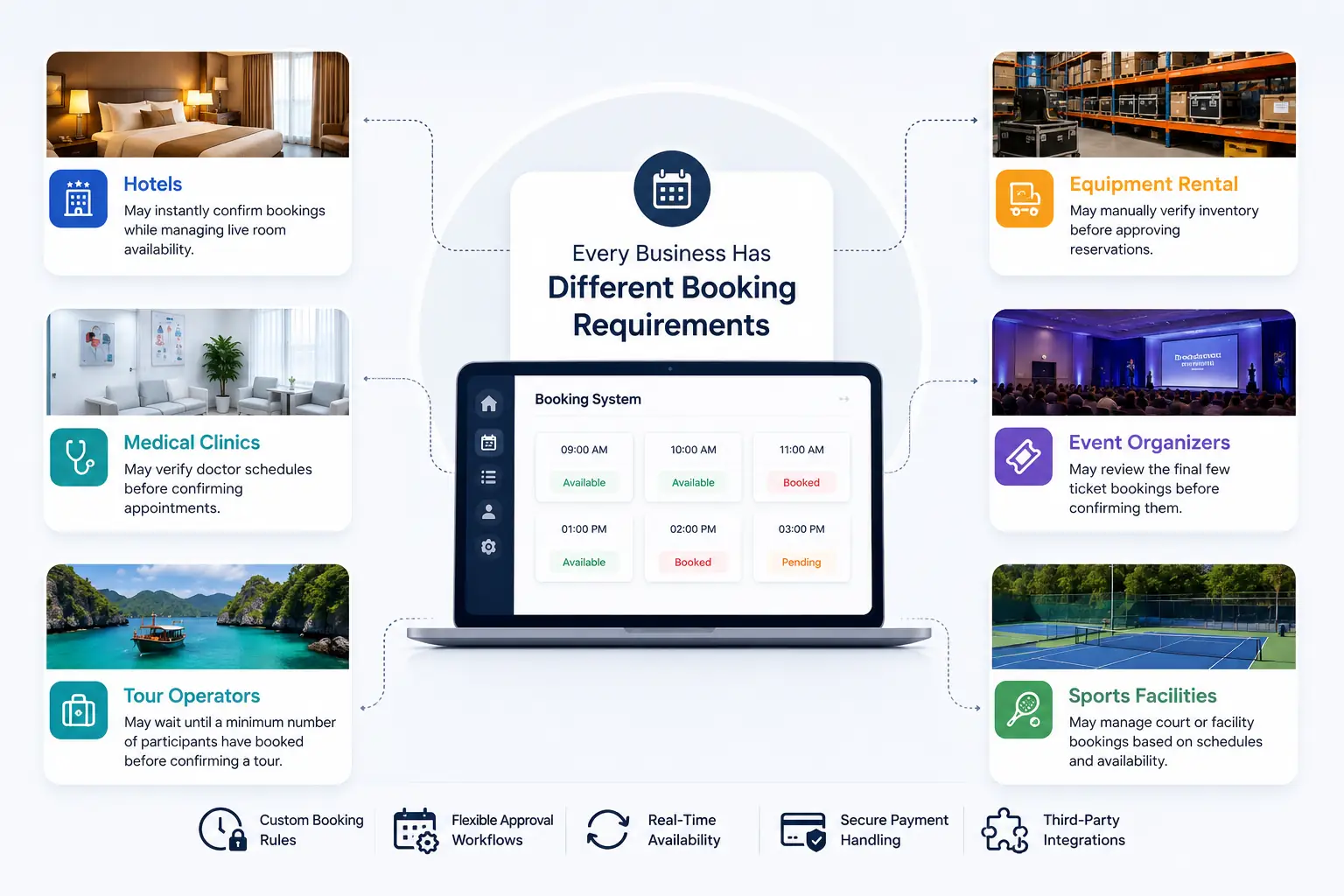
Not every business handles reservations in the same way.
For example:
Hotels
May instantly confirm bookings while managing live room availability.
Medical Clinics
May verify doctor schedules before confirming appointments.
Tour Operators
May wait until a minimum number of participants have booked before confirming a tour.
Equipment Rental Companies
May manually verify inventory before approving reservations.
Event Organizers
May review the final few ticket bookings before confirming them.
Because every business works differently, the booking process should be designed around your operations instead of forcing your business to adapt to generic software.
Build a Booking System That Prevents Problems Before They Happen
Many off-the-shelf booking systems work well for basic reservations.
However, businesses with more complex booking requirements often need features such as:
- Temporary slot locking
- Pending booking approvals
- Automatic refund workflows
- Real-time availability updates
- Custom booking rules
- Business-specific reservation logic
- Third-party software integrations
These capabilities help prevent booking conflicts before they happen rather than trying to solve them afterward.
A custom booking solution can be built around your exact business processes, giving both your team and your customers a smoother booking experience.
Final Thoughts
When two customers try to book the last available slot at the same time, a well-designed booking system should ensure that only one reservation is successfully confirmed.
Depending on your business requirements, this may involve temporary slot locking, real-time availability updates, pending approval for the final few bookings, payment authorization, or automatic refund handling.
The right approach depends on how your business operates.
Whether you manage hotel reservations, appointments, tours, rental equipment, event tickets, or service bookings, your booking and reservation platform should protect your availability while providing a smooth and reliable customer experience.
A professional booking system doesn't simply accept reservations, it intelligently manages availability, prevents booking conflicts, reduces manual work, and gives customers confidence that every confirmed booking is accurate.